
Viewing Your Award Status
Checking Your Financial Aid Information
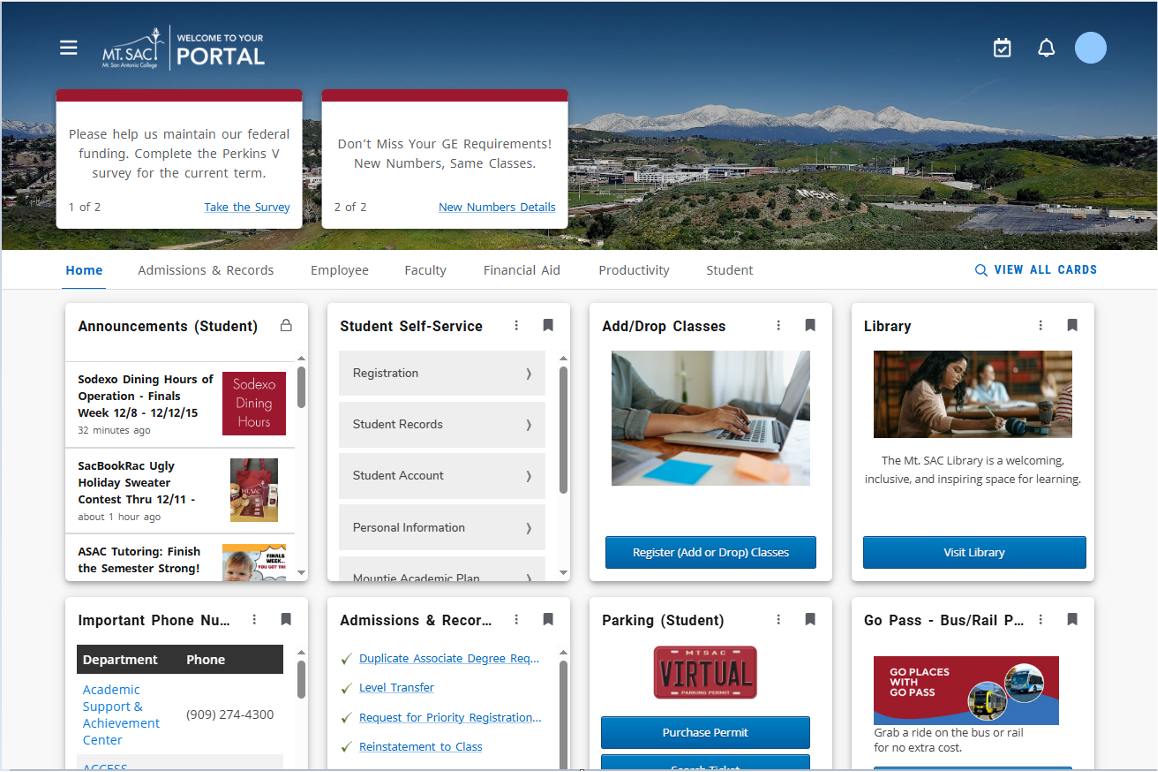
Steps to access Financial Aid in the Mt. SAC Portal:
-
Go to your Mt. SAC Portal
Go to your Mt. SAC Portal and log in with your user ID and password. -
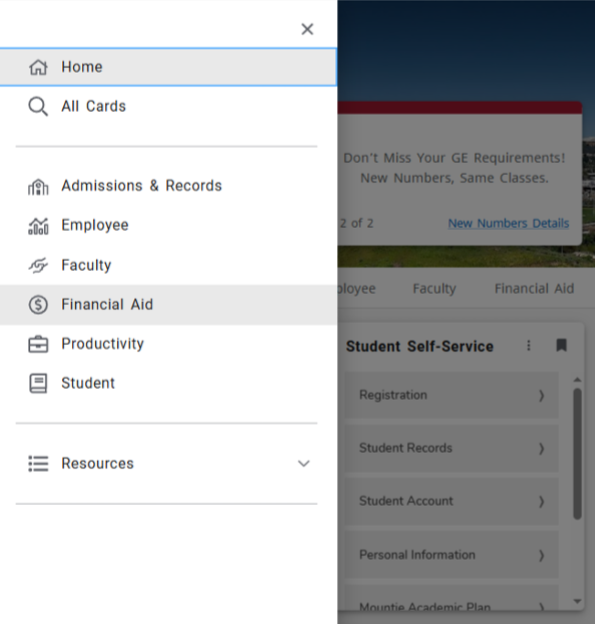
Locate Financial Aid Tab
Option 1:
- Go to the hamburger menu (3 horizonal bar icon).
- Select Financial Aid
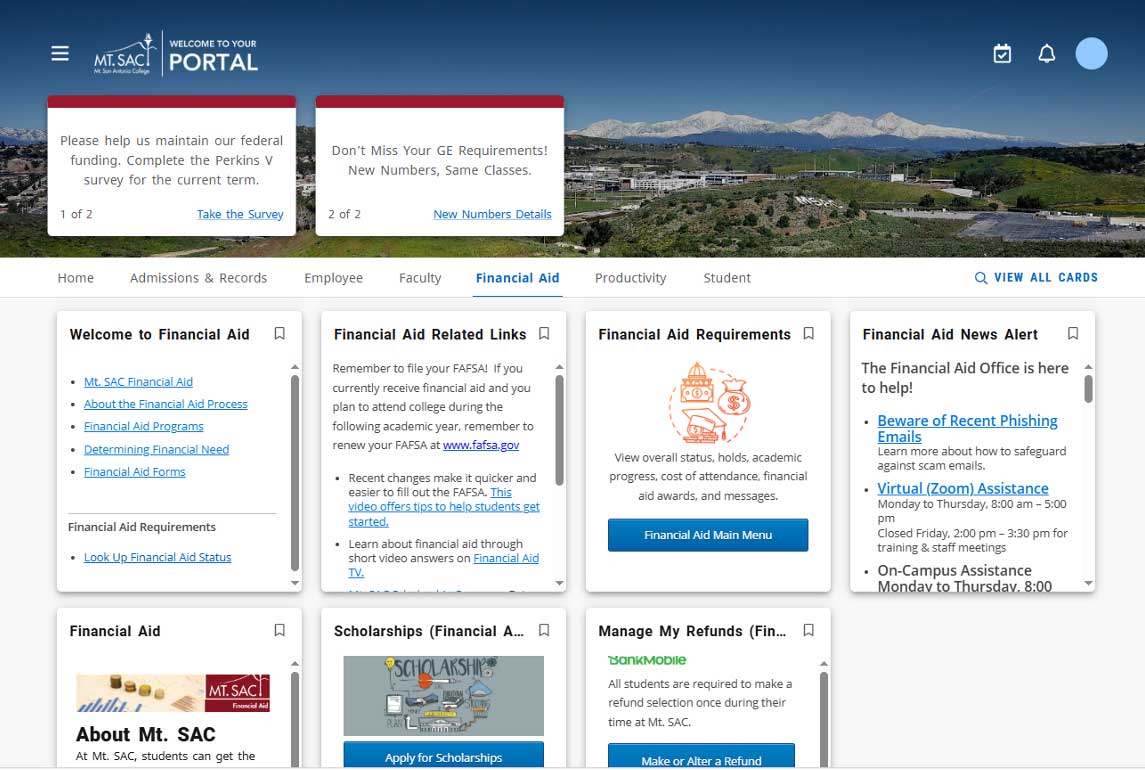
Option 2:
- Select Financial Aid in the horizontal menu (below Mt. SAC skyline).
-
Financial Aid Cards
Here's the Financial Aid Cards in the Portal -
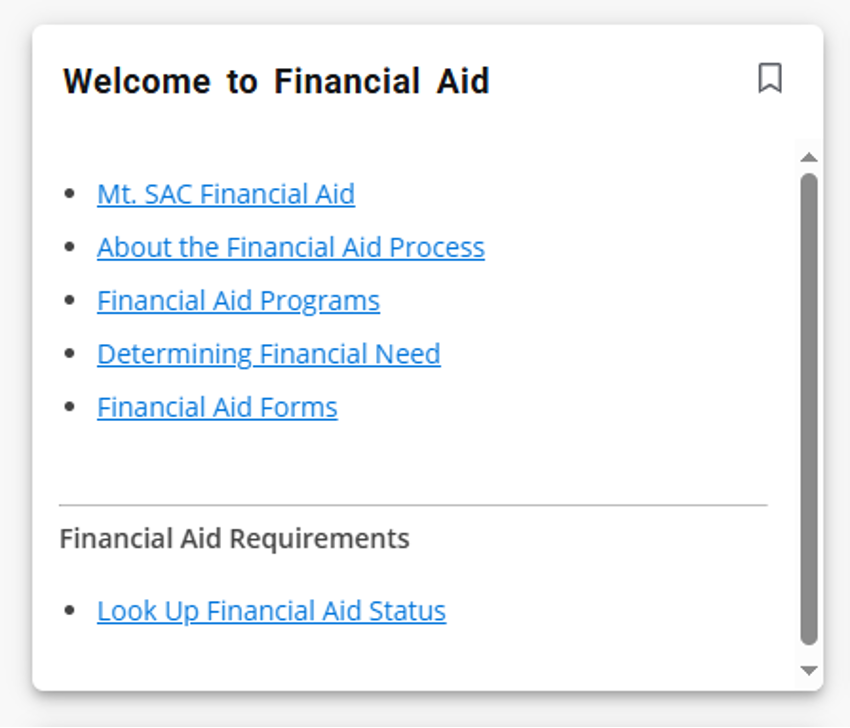
Select Financial Aid Status
Look Up Financial Aid Status in the Welcome to Financial Aid card.
Financial Aid Tabs:

-
- Home
-
Home:
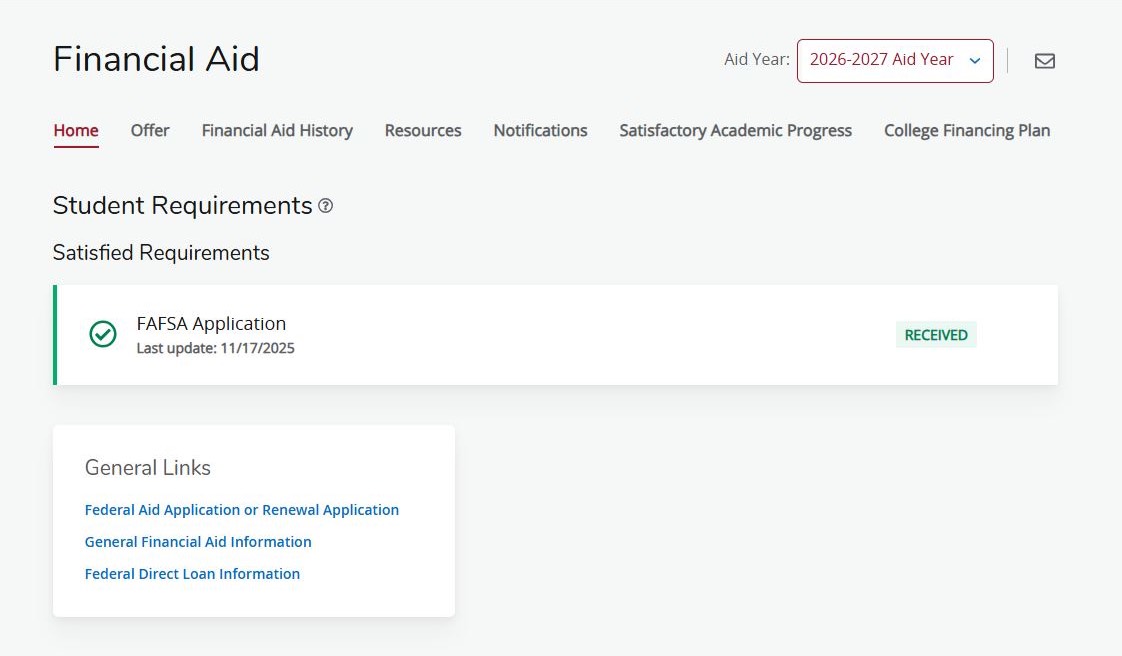
The Home tab provides an overview of your financial aid status. Here you can:- Confirm that Mt. SAC has received your financial aid application (FAFSA or CADAA).
- View any outstanding requirements or documents needed to complete your file.
- Review notifications regarding required actions or important updates from the Financial Aid Office.
-
- Offer
-
Offer:
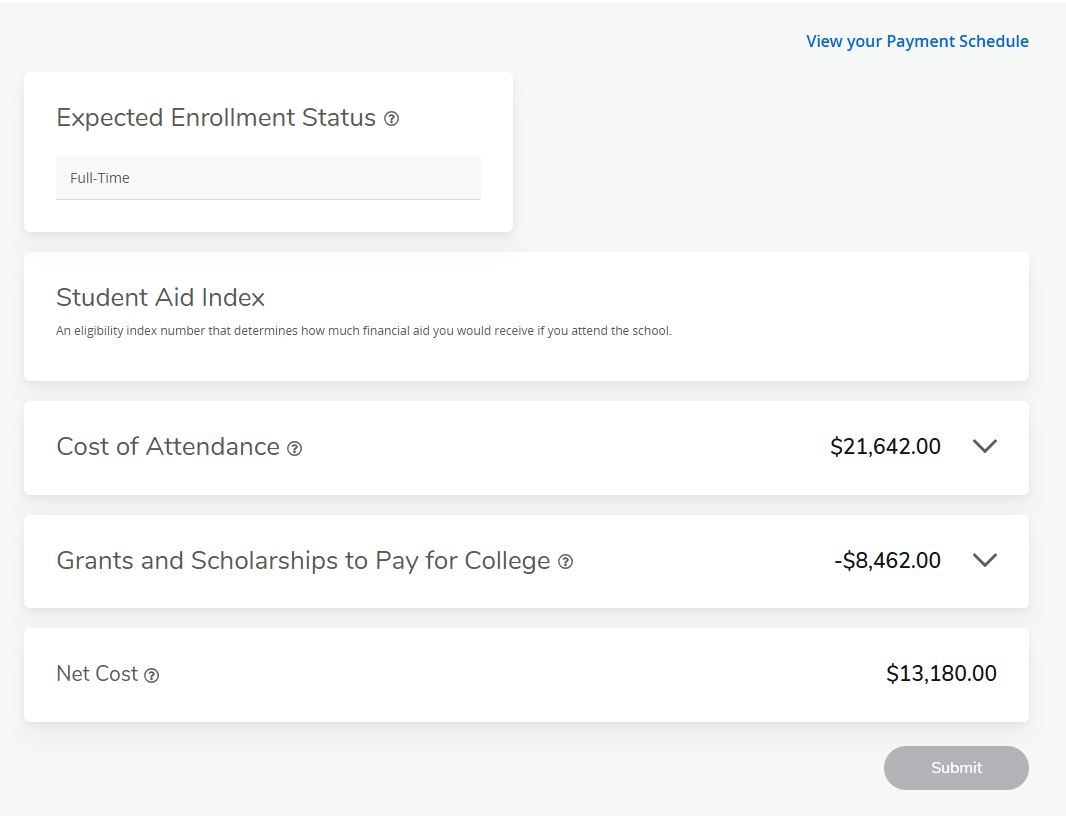
The Offer tab provides an overview of your financial aid eligibility and awards for the selected aid year. Here you can view:- Your Student Aid Index (SAI).
- Your Cost of Attendance (COA).
- Eligible grants, scholarships, and Federal Work-Study (FWS) offers.
- Your estimated Net Cost.
Please Note: The Net Cost is an estimate calculated using your Cost of Attendance minus eligible gift aid (such as grants and scholarships). It is not the actual amount you will owe or pay for the academic year.
-
- College Financing Plan
-
College Financing Plan:
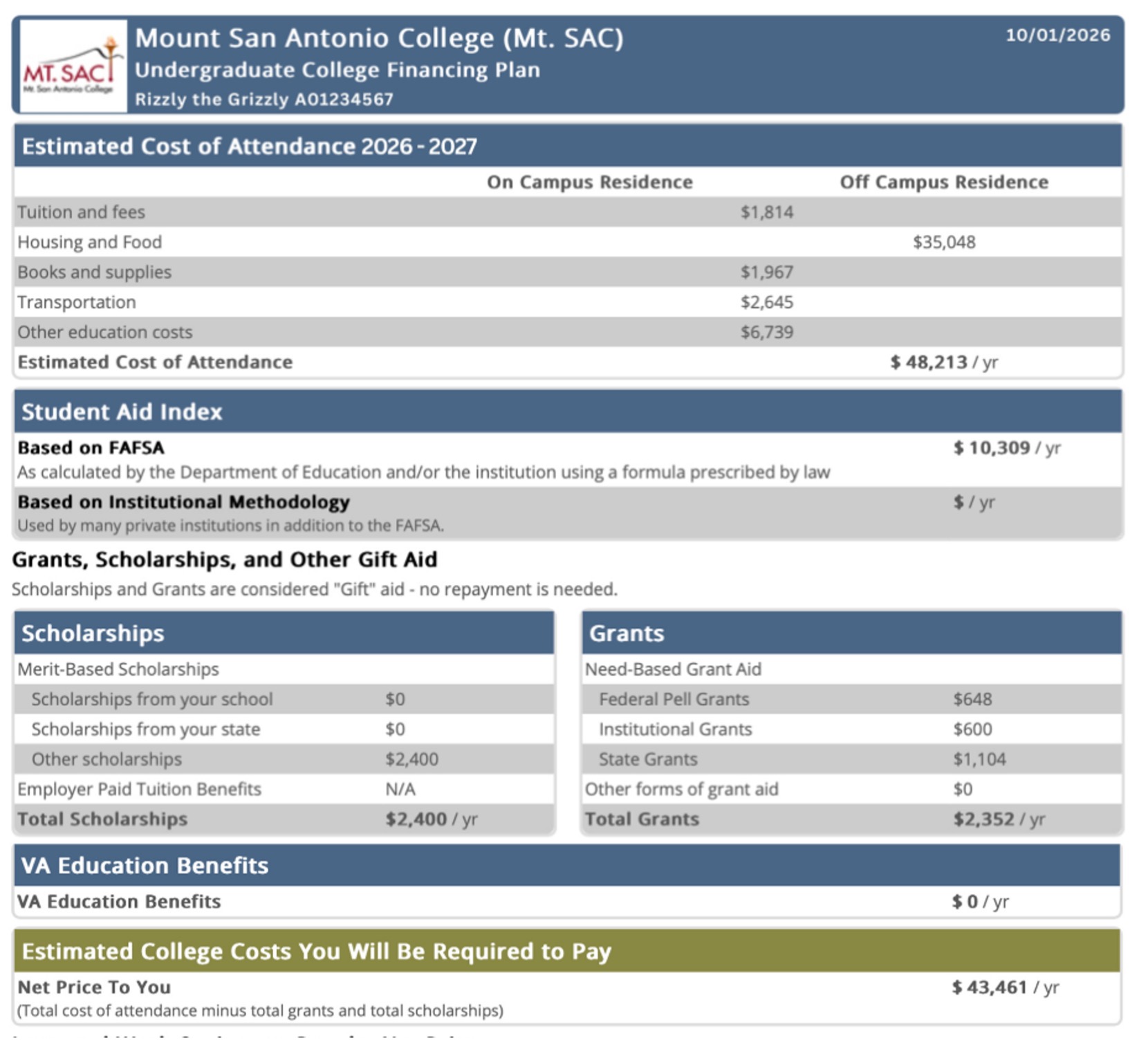
The College Financing Plan provides a personalized financial aid summary for the academic year. This award letter includes:- Cost of Attendance (COA).
- Student Aid Index (SAI).
- Grants and scholarships.
- Estimated Net Cost.
- Federal Work-Study (if offered).
- Other financial aid information to help you understand and compare your financial aid package.
-
- Home
