
Staff Technology Support
 Information on the variety of technology resources available to staff at Mt. San Antonio
College.
Information on the variety of technology resources available to staff at Mt. San Antonio
College.
Connect with Us!
IT Help Desk Hours: Phone support hours: Monday - Thursday: 7:30 a.m. to 10:00 p.m., Friday 7:30 a.m. to 7:00 p.m Phone:
(909) 274-4357 (HELP)
Email:
-
Have technology questions? Our Help Desk is here to support you!
The Mt. SAC IT Help Desk is your primary contact to request assistance with all of your technology needs. We are ready to handle a wide range of calls related to hardware (PCs, Macs, printers), software (Microsoft Office, Adobe), and specialized applications used at Mt. SAC (Banner, Canvas, Argos, OnBase).
-
-
Mt. SAC offers free limited Wi-Fi to all students, staff, and guests of the campus.
Follow the links below to find out how to connect to the different networks using your preferred device.
-
-
Mt. SAC CSEA employees, Full-Time Faculty and Adjunct Faculty with teaching assignments automatically get an email address and access to desktop and web based apps access.
Mt. SAC short-term employees, i.e. professional experts or technical support staff, are assigned web based apps.
-
-
The Computer Replacement Program (CRP) ensures that College-owned desktop and laptop computers are regularly updated and replaced to maintain efficiency, security, and productivity. Having functional working computer desktops and laptops is paramount for instructional purposes in supporting students with their academic, professional, and personal goals.
The IT Department is provided a budget for CRP hardware upgrades based on the College's fiscal health. These funds are neither guaranteed nor are the funding amounts set or recurring. For this reason, in conjunction with faculty and staff, IT has established hardware standards for purchasing and supporting software applications and systems to support students and the College's operational needs.
The IT Department evaluates computer desktops, laptops, and technology accessory hardware each academic year for compatibility, performance, and budget forecasting. This practice ensures that student, faculty, and staff technology hardware is distributed with an equitable and budgetary focus.
This policy establishes guidelines for the systematic scheduling of replacing College-owned computers and laptops every five years as budget and IT support resources are available for deployment.
-
-
Adobe is available to Employees
-
- Login
Simply enter your email address to the sign on screen:
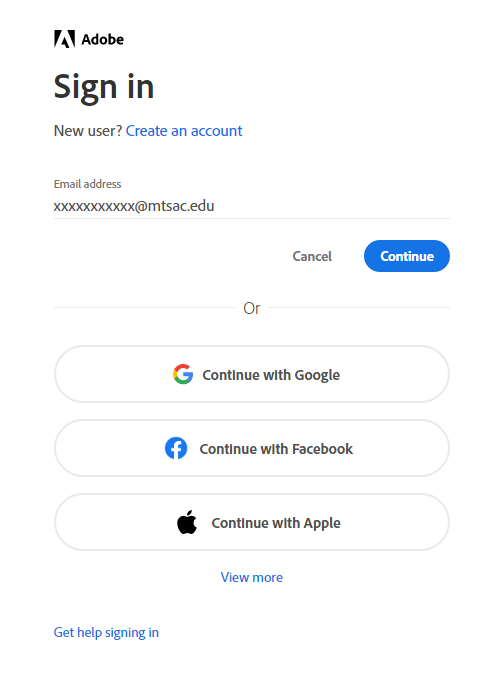
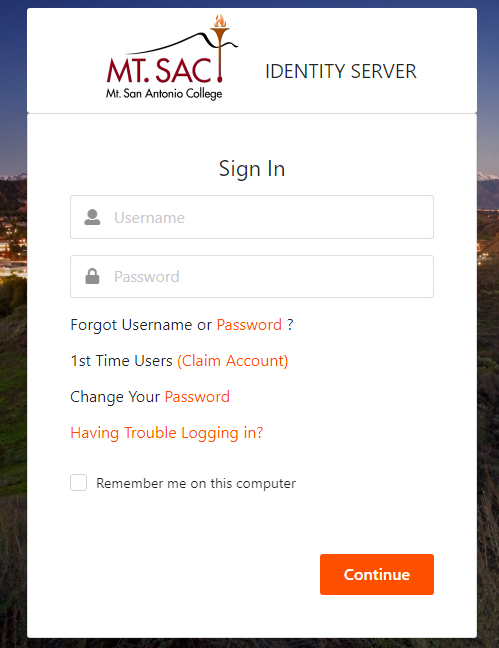
You should be prompted to enter your Mt. SAC portal credentials.
- Login
-
-
Virtual Private Network (VPN) - Use VPN for a Secure Connection
VPN allows Mt. SAC students, faculty, and staff access to college resources securely while using non-Mt. SAC networks to connect to the internet. The VPN does this by encrypting the internet traffic between the computer/laptop/tablet and the campus network.-
- Access VPN
Mt. SAC has updated their VPN client to FortiClient. All users that previously had VPN access through CheckPoint VPN will now have their software updated to FortiClient. The connection process is now easier than before.
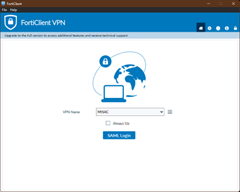
Connecting with FortiClient VPN:
1. To connect you will need to double-click the application icon on your desktop:

(Alternatively, you can go to the bottom right tray on your desktop and click on the FortiClient
 icon, then select "Open FortiClient Console")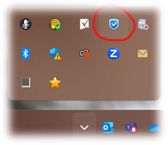
2. Click on the SAML Login button, and type in your Portal ID plus “@mtsac.edu” like an email address. For example, if your Portal username is flast99, your username would be flast99@mtsac.edu.
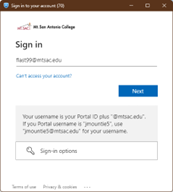
3. Type in your Portal password when prompted. If prompted, complete the MFA approval process.

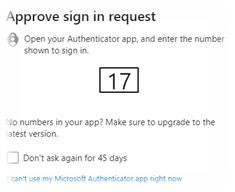
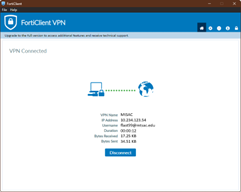
4. The VPN will take about 20 seconds to connect. When it successfully connects, you will see a notification, and a “VPN Connected” window in FortiClient.
Missing FortiClient Icon?
Although IT has automated the installation of the new FortiClient VPN software, you may find that you are missing the application. We are confident that all active Check Point VPN users should have the new FortiClient VPN installed before the upgrade. However, if you do not have the FortiClient installed, please do the following:
1. If off campus, enable your Check Point VPN connection
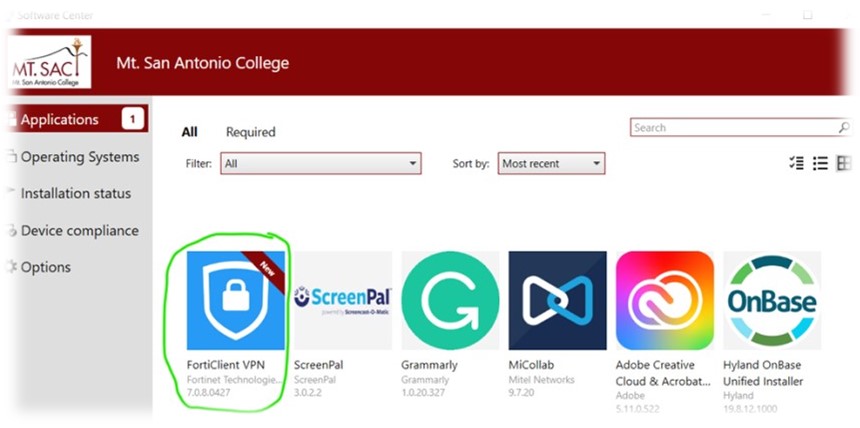
2. From the Start menu, look for the Software Center application. The Software Center icon looks like this:

3. Use Software Center to install the FortiClient VPN application. You should see the FortiClient icon promoted as a new application. Click on the icon and then Click the "install" button.
- Access VPN
-
-
Mt. San Antonio College (Mt. SAC) is preparing to transition from Self-Service Banner 8 to Self-Service Banner 9, bringing a more modern, user-friendly experience to students, faculty, and staff.
While this upgrade primarily focuses on a refreshed user interface (UI) with improved navigation and a mobile-friendly design, the underlying data and processes will remain the same.
-
-
In preparation for your new device please complete the following:
- Reply with a list of software, network shares and printers you require for your job function
- Back up your files and Bookmarks on your current computer before we come out to replace it.
- Provide a convenient date and time when you are available to have us swap out the computer. We estimate about an hour to hour and a half is needed to replace your device.
-
Multi-Factor Authentication: Double the Lock, Double the Safety
Participate in an interactive session where IT staff will provide personalized guidance to help you efficiently and securely set up Multi-Factor Authentication.Don’t wait—lock down your accounts and log in with confidence!
Register on POD Connect Today!
-






Additional Resources
